Window Select

This action selects a window (application, folder, Windows taskbar and desktop) and gives it focus. The following actions require parent window selection prior to their usage:
- Item select, Mouse click, Value retrieve, (OCR) Window scan, (OCR) Text locate, Color check
Automation sheet parameters:
- Name – name and type of the window. Use the * wild symbol to specify a window by partial name. For example “*Outlook <window>” selects any window where the window name ends with “Outlook”
- Maximize – select Yes to maximize the window or No to keep it in the current state
Action parameters window:
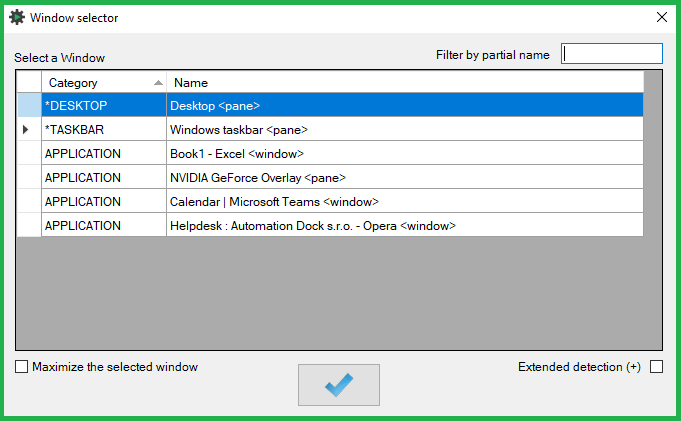
- Displays a list of all open windows including the desktop and the task bar
- To have the system wait for up to 6 seconds for the selected window to appear during process execution, check-off the “Extended detection”option
- Selecting the extended detection adds a + symbol in the window name\type parameter
- Standard detection scans for the existance of a window only once
- Select the desired window and click the OK button to update the action-step parameter
Was this article helpful?
That’s Great!
Thank you for your feedback
Sorry! We couldn't be helpful
Thank you for your feedback
Feedback sent
We appreciate your effort and will try to fix the article