AutomationDock installation failed
Issue Description
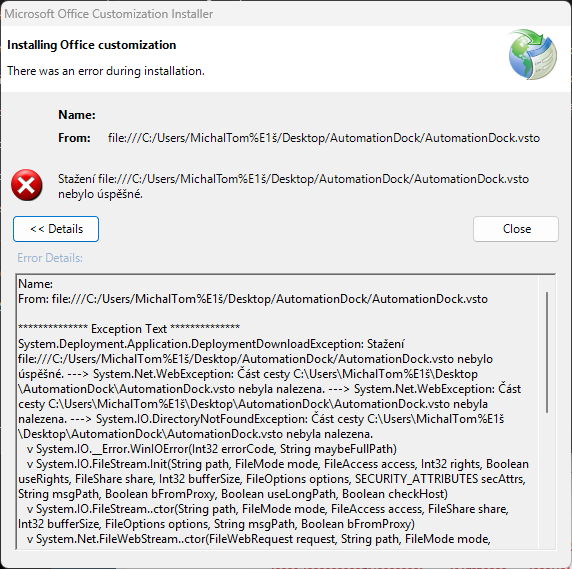
In some cases after starting the installer, clients may see the following message preventing installation. The reason is the diacritics in the windows user's name.
Issue Solution
To bypass this issue it only requires to move whole installer folder into path which do not include windows user's name, like "C:\Program Files" or "C:\Temp", etc.
Was this article helpful?
That’s Great!
Thank you for your feedback
Sorry! We couldn't be helpful
Thank you for your feedback
Feedback sent
We appreciate your effort and will try to fix the article